

Uses / Talk with your documents, privately
Talk with your documents, privately
Some documents cannot go to a cloud AI: client files under NDA, your own medical records, unpublished research, anything you signed confidentiality for. Your Own AI reads them on your machine.
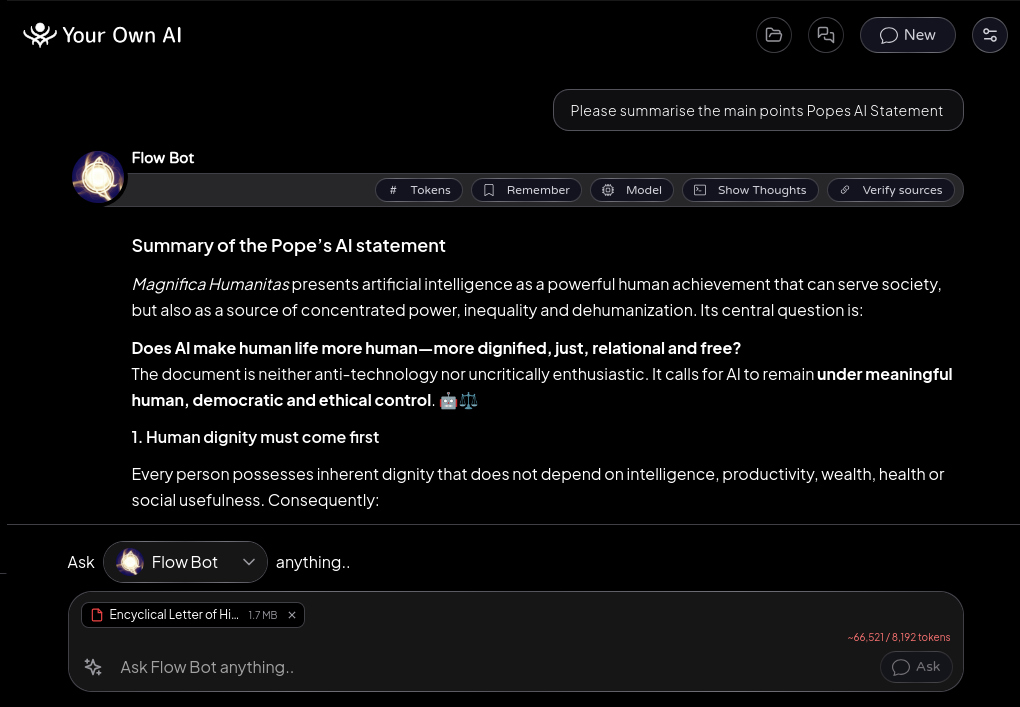
Attach a contract and ask what the termination clause really says. Drop in a scanned letter and it reads the paper. Ask about a 60-page report, then press "Verify sources" - each claim is checked against the document and shown with the exact supporting quote.
Tell it "remember this" on anything worth keeping, and the next conversation starts already knowing it. One tool, three lives: NDA work, a tutor that teaches from your own materials, and personal research nobody else needs to see.
How it works
- 1
Attach anything
The sparkle menu's "Add file", or drag files straight into the message field. PDF, Word, Excel, text, code, and images all work.
- 2
Paper scans read too
The first scanned PDF offers a one-time ~30 MB reading add-on; after that, scans read like any other document, fully on-device.
- 3
Check the answer
Open "Sources" under a reply to see what it drew on, or "Verify sources" to check claim-by-claim with exact quotes. A setting makes this automatic.
- 4
Keep what matters
The Remember button under a reply, or highlight any text and remember just that. Choose whether it goes to one AI or all of them.
- 5
Give an AI permanent materials
Edit the AI and add Knowledge documents - it keeps its own copy and uses the relevant parts when they help.
With an offline model, nothing leaves the machine, ever. Attachments stay on your device even when a question goes online, unless you turn on Send attachments to online models in Settings > Routing - one standing choice, yours to switch off any time.
Free · Open source · macOS, Windows, Linux